
Okay, I couldn’t resist revisiting this one more time. Here is the original blog on using color filters during black and white photography: Black & White Photography—It’s All in the Color! And here’s the followup on how to filter in post processing: Black & White Filtering After the Picture is Taken
I stumbled across the photograph below last week, during my series on Trinidad and Tobago. It was taken at the Asa Wright Nature Centre back in 2004 with my very first foray into digital photograph.
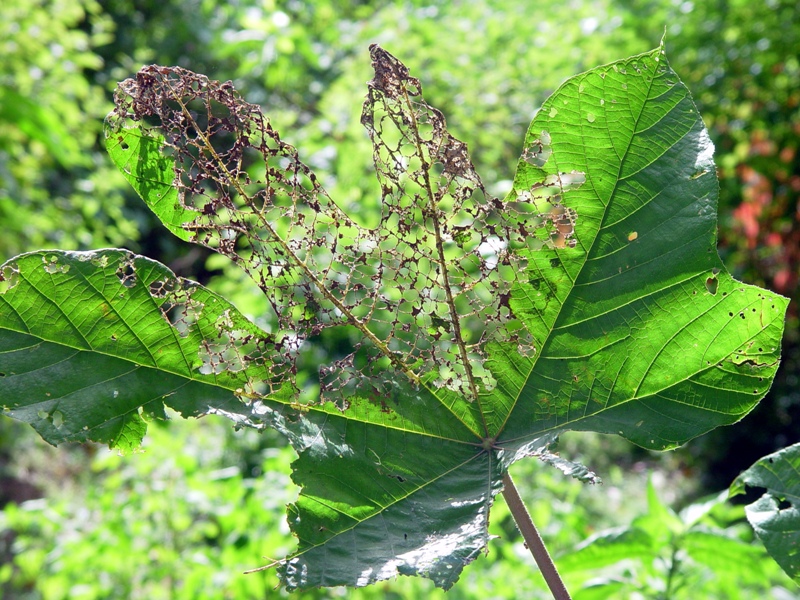
Original color version
Now for the magic of using filters to either block or pass through certain color wavelengths.
Filtering for red blocks (darkens) cool tones (greens and blues) while brightening warm tones (yellows, oranges and reds):
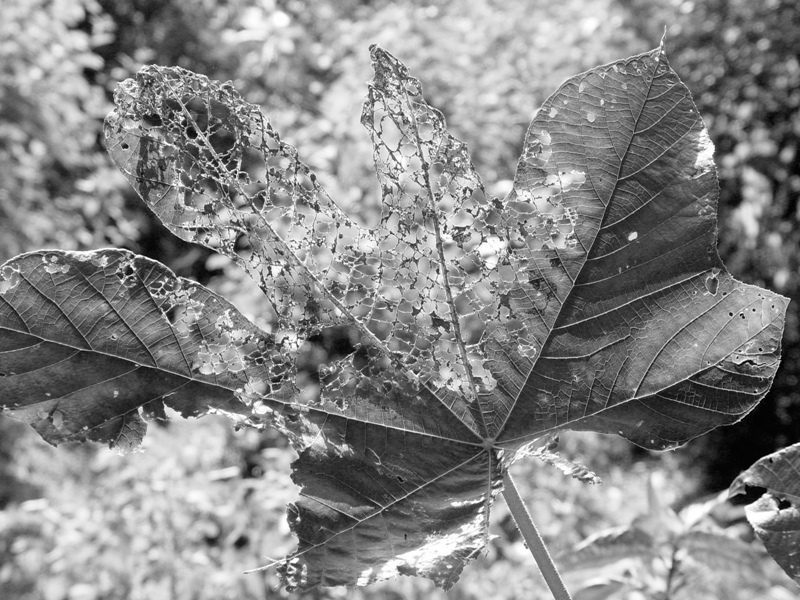
Dark Red Filtering
Filtering for green lightens cool tones (greens and blues) while blocking warm tones (yellows, oranges, and reds):
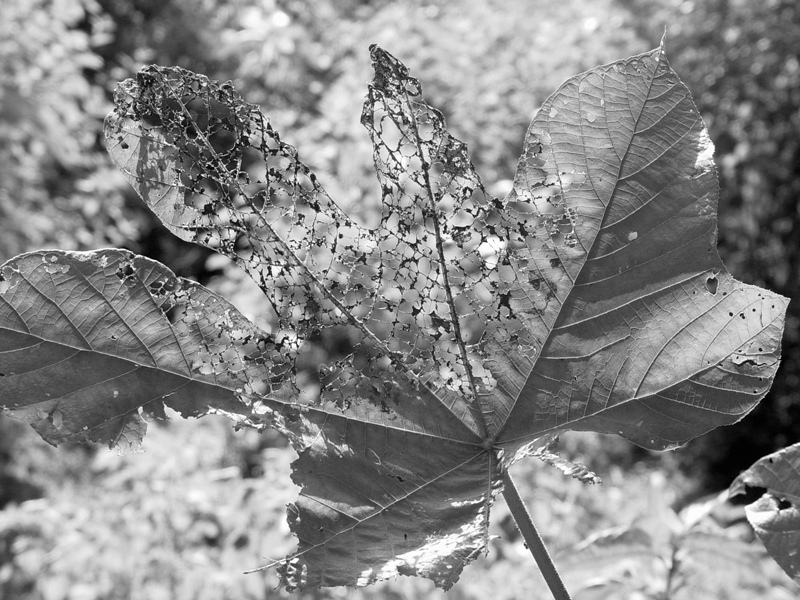
Dark Green Filtering
You’ll notice that the healthy portion of the leaf is darkened under red filtering and lightened with green filtering. But look at the spidery diseased portion. See how the dark green filtering blocks the brownish hue (a dark yellow) of the leaf veins, while the red filter lightens the veins to the point where the blend into the background?
Now take a look at the red flowers in the right-side background. Filtered for red, those flowers practically glow, but when the image is filtered for green, they darken considerably.
This is why you use color filtering, either with black & white film, or when post processing and converting color images to black & white—to enhance some portions of the image while suppressing others. The rules of thumb for color filtering:
Green filtering is great for portraits. Green enhances and increases the contrast of most complexions.
Red filtering is the obvious choice for landscapes. Blue skies and green vegetation are darkened dramatically, while colorful flowers in the yellow to red range shine through.
For more subtle enhancements, try filters ranging from light green to pale yellow to orange. Try experimenting with copies of your digital color images. The “Filtered B&W” feature built into Google’s free Picasa photo editing software make this both fun and easy.
 Decisions — Murder in Paradise
 The Globe — Murder in Luxury
