In the Shadow of an Active Volcano


Volcanoes, especially active ones, are scary. But what about a volcano that’s been erupting more or less continuously for the past 20,000 years?  How would you feel cruising to within a kilometer or two from its shore?  Now, imagine this . . . what would it be like to be one of the 800 or so residents who live in the shadow of the steam and gas clouds that puff out of its crater every few minutes?

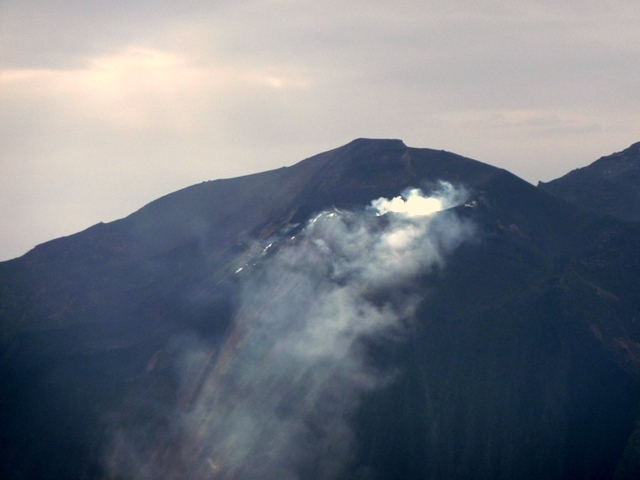
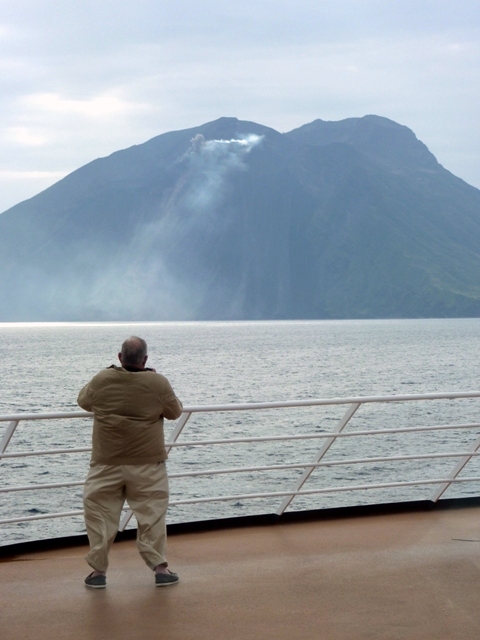
As many of you know by now, Ursula and I were on a 54-day cruise last spring. On April 13 our traveling home, Holland America’s MS Prinsendam, pulled alongside Italy’s famous Stromboli Volcano.  Stromboli stands an impressive 3,034 feet (926 meters) above sea level, but actually rises an astounding 6,500 feet (2,000 meters) above the floor of the Tyrrhenean Sea off the west coast of Italy near the Strait of Messina.

Unfortunately, conditions were far from ideal for photography that morning. We were initially positioned almost directly into the sun, the atmosphere was extremely hazy, and the sky was completely obscured by a solid overcast layer.  Nevertheless I was determined to record this event as best I could even though I did not have my best equipment with me and the camera I was using had neither manual exposure capability nor the ability to save files in raw format for optimum post-processing.  The following photographs are the results of those efforts.  They include the volcano, the villages on the north coast of the island, and the nearby Isola di Strombolicchio with its lighthouse and interesting horsehead-shaped rock outcropping.

Comments Off on In the Shadow of an Active Volcano

Filed under Photography, travel

‘Tween Sun and Shade—Outdoor Color Balancing


It’s almost a shame, really, that as cameras becomes more automated the photographer becomes increasingly isolated from the actual process.  All goes well as long as the camera’s processors analyze the situation correctly.  But when those processors are fooled, many of today’s photographers don’t know how to fall back to recover.

Choosing to shoot in raw over JPEG helps for tricky situations. Why?  Because raw records data from every single pixel in the sensor without any internal processing.  In JPEG shooting the resulting photograph is processed in-camera, and the results are pretty much locked in with not nearly as many options available to the photographer during later post processing on a computer.  With raw, you are making all the processing decisions.  That means you’re bypassing the camera’s processors and using your computer’s processors instead, and you are the one ultimately making decisions on everything from white balance to contrast, from sharpness to saturation, from highlight control to fill light, and potentially many other decisions as well.

Does that mean you should shoot in raw only? Heck no.  Raw is a real pain in the derrière and, unless you’re really obsessive about image control, the time spent post processing can really sap the joy of photography right out of you.  Raw requires an incredible investment in time during post processing to correct those settings you should have gotten right in the first place, before your finger ever pushed the shutter release button.  Also, raw takes up a huge amount of memory card space in your camera and eats up computer hard drive space like a woman takes up master closet space.  For instance, my Canon EOS 5D makes raw image files of between 12 and 15 megapixel, but in the finest JPEG resolution that same shot will come in at around 4.5 megapixels or less.  Besides, if you don’t have one of the more upscale models, many point-and-shoot cameras don’t even offer a raw option.  In those cases you have no choice but to get all the decisions right first time, every time.

Does that mean you can’t take award-winning shots with a point-and-shoot or in JPEG? Not at all.  Nothing could be further from the truth.  It just means that you cannot always rely on the camera’s built-in processors to get everything right.  The trick is to recognize situations in which the camera might be fooled and to make manual settings to compensate.

An online friend recently suggested for a topic shooting pictures in bright light or shadow, so that’s what we’ll concentrate on today.

But first, a little experiment. Take two sheets of white paper and go outside on a bright, sunny midday.  Take a good look at that paper.  What color is it?  Now, step into a shady spot and allow your eye to adjust for a few minutes, then look again at the paper.  What color is it?  You of course said, “You dummy, white is white.  In both cases the paper looks the same.”  And you’re right . . . but only because your brain “processes” what your eyes see and compensate for the shade to make you believe that paper is white in both cases.  Your brain automatically does this for relatively small to moderate variations in color light.  It fails miserably if you’re trying to determine the color of that piece of paper under a red light bulb because the amount of color recorded by the eye overwhelms and confuses the brain’s ability to compensate.  Your camera’s lens and internal processors are no different.

Now we’re going to place those two pieces of paper side-by-side to see what’s really happening, but this time put one paper in direct sunlight and place the other in the shade.  Step back.  Now what color is the paper?  The one in the sun will be white with perhaps a slightly yellow cast, but the one in the shade will have a distinctly blue tint to it.  If you take a picture now, what is your camera going to do?  Is it going to assume the shaded paper has the correct white balance, or will it go with the paper in direct sunlight?  You cannot know for sure, but you can take the guess work out of it.  If you want the shaded page to be white, you would manually set your camera’s white balance to it’s “Shade” setting, but if you want the paper in sunlight to record properly, you would manually select “Sun.”

Your camera’s processor isn’t that smart. If you’re taking a picture of a green forest, there’s a good chance that your camera will think the subject is actually tainted by overwhelmingly green light and attempt to compensate by adding magenta to the white balance.  If you’re zooming in on a red flower to fill the entire frame, there’s a good chance your processor will be fooled into thinking it needs to add cyan to balance things out.  Same applies when taking photographs under certain light conditions such as shade.  Want to ensure color accuracy of that violet in the shade of a large elm?  Override your camera’s automatic white balance and dial in the “Shade” setting.  Zooming in on the red of a Radio Flyer wagon in bright sunlight?  Don’t take chances; dial in the “Sun” mode.  Don’t be afraid to get off automatic.  Make that JPEG right the first time.  But remember to set the camera back to Automatic White Balance when you’re done with that shot or all your subsequent shots may be off balance.

Below are simulated examples of the affects rendered on a subject by incorrect white balance. The left side photographs show what the camera might very likely determine for white balance.  To the right of is the appropriate, manually selected balance.  The first six examples show what happens when your subject is in shade but the camera thinks it’s in the sun.  The last shot is an opposite example.  If you cursor over the photos you can see the white balance setting.

4 Comments

Filed under Photography

Flying on a Shuttle Training Mission


In my previous life as an air traffic controller, one of the benefits I used to enjoy was something we referred to as a “Familiarization Flight.”  We would actually ride the jump seat in the cockpit of that McDonnell Douglas DC-10 or Boeing 737 while you were bouncing around back there  in economy class.  There was a catch, however.  We were technically on duty, we were classified as part of the crew, and we had to file a written report on our experiences and what we learned upon returning to our duty station.  The other thing that made flying in the cockpit a chore was when we had a cockpit crew with a beef against air traffic control in general and controllers in particular.  In that case you wound up listening to a nonstop litany of gripes, bitches, moans, and complaints.  The pilots of American Airlines were the worst; Continental’s weren’t bad, and Southwest’s were usually the greatest.  It wasn’t always fun and games, however.  There was a controller riding the jump seat when Aloha Airlines Flight 243 suddenly became a convertible at 24,000 feet.  Another controller was killed on a fam when USAir Flight 1493 landed atop the Metroliner (SkyWest Flight 5569) he was aboard.

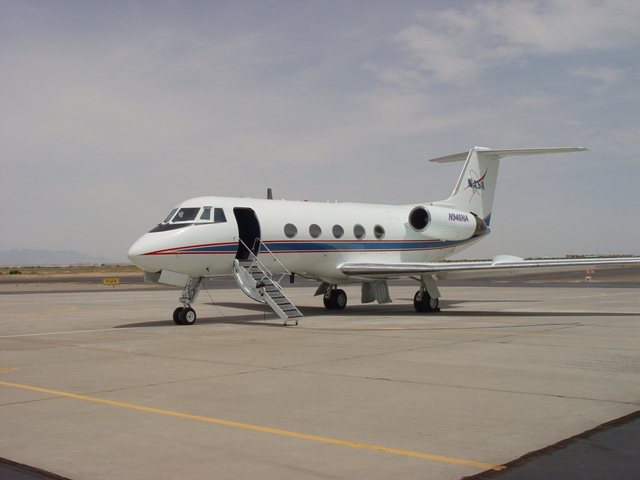
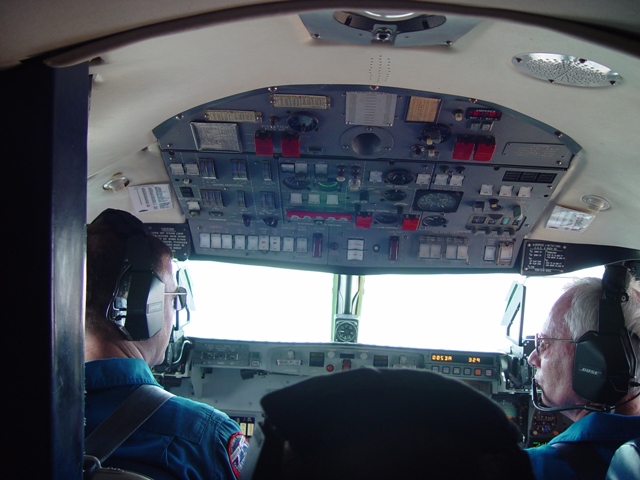
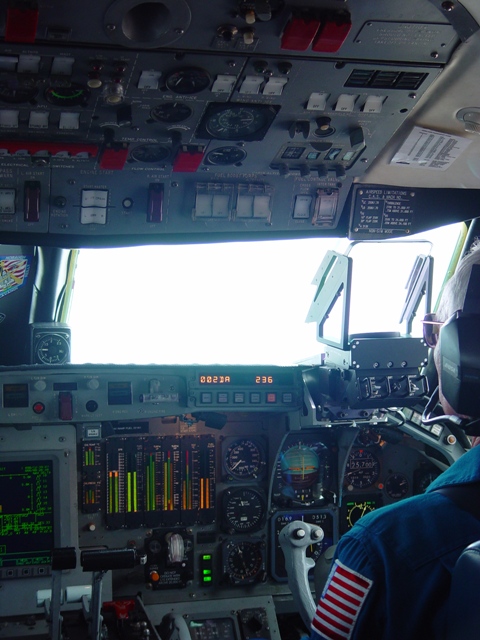
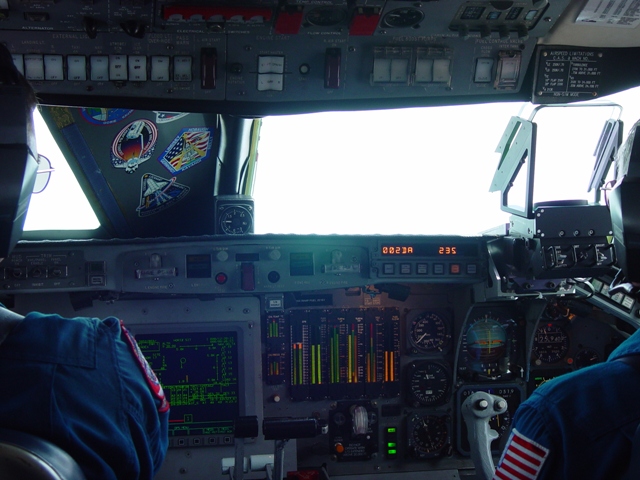
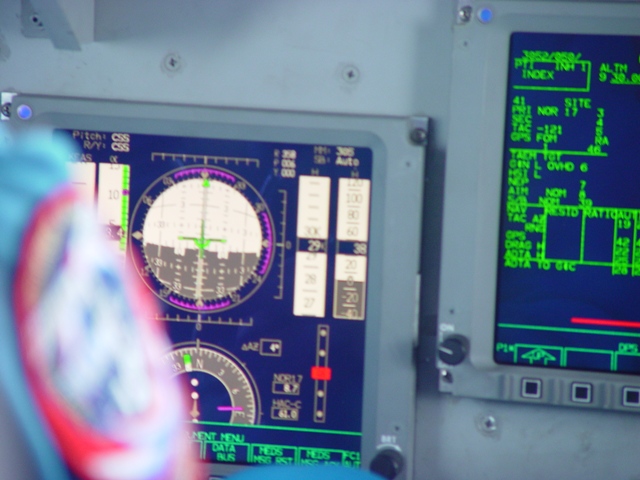
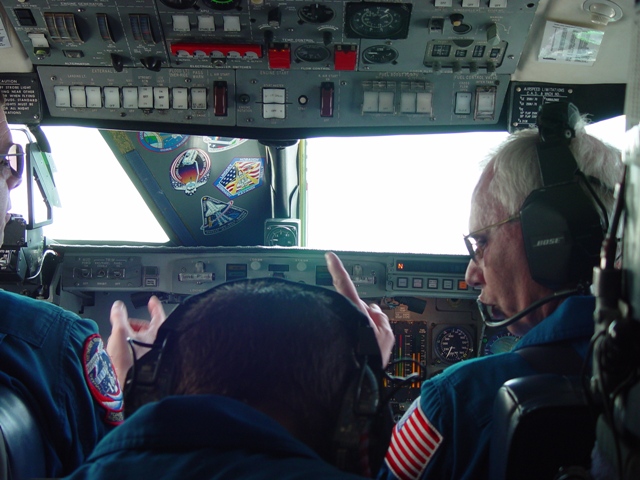
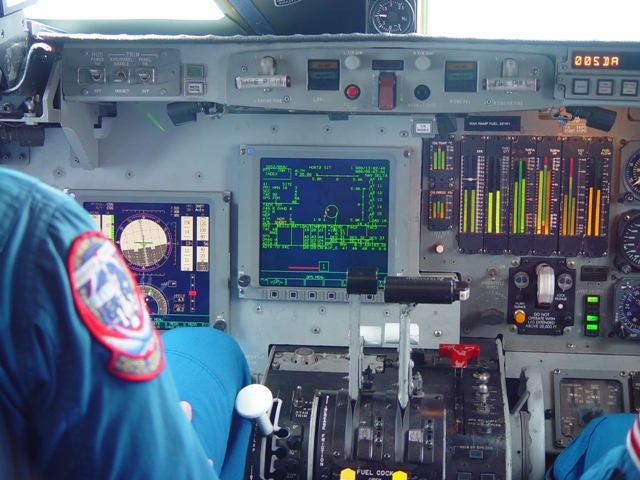
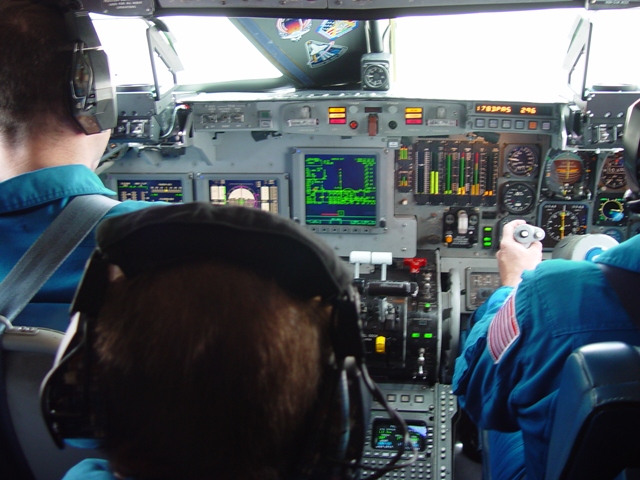
All that ended on a Tuesday morning in September, 2001. After that we were barred from the cockpit of any civilian airliner, a silly restriction that is still in affect to this day.  I mean, really, if you can’t trust an air traffic controller in the cockpit, why the heck would you trust your life to that same controller when they’re in the tower or working a radar scope? Fortunately, we still could “Fam” in military, general aviation, and other aircraft.  In my case, I was afforded the opportunity on more than one occasion to fly in the cockpit of the NASA Shuttle Training Aircraft (STA), a  highly modified Gulfstream II in which the left side of the cockpit is a replica of the instrumentation and flight controls used in the Space Shuttle.

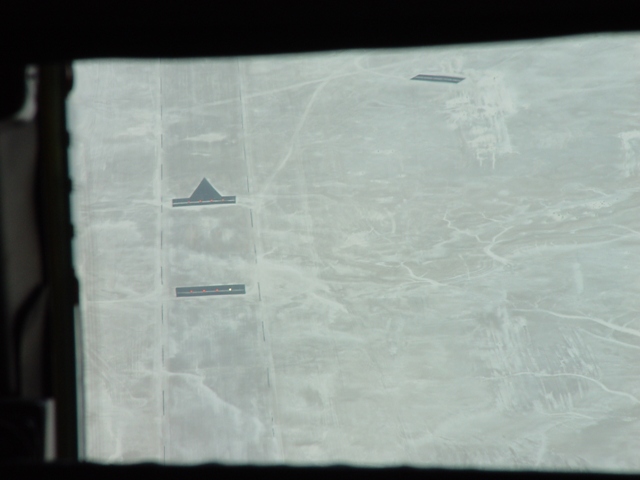
A normal mission profile called for the STA to launch out of El Paso International Airport and turn north on a heading for the White Sands Test Facility.  The Gulfstream is climbed to an altitude of 20,000 feet.  At approximately fifteen nautical miles from the Northrop Strip located at the White Sands Space Harbor, the main landing gear are lowered (the nose wheel gear strut remains retracted), the engine thrust reversers are engaged, the aircraft is nosed over into a steep descent, and the Shuttle pilot-in-training takes the controls.

Most jet aircraft approach for landing at a mild 3° descent angle and a leisurely 140 knots or so.  Not so the STA.  That baby drops out of the sky at a pulse-pounding 20° drop while doing 300 knots.  Only once the STA descends below 1,700 feet does the pilot initiate a flare (nose-up attitude) to decrease the glide angle and reduce the speed.  At 150 feet the nose wheel strut is lowered and, at a ridiculously low 20 feet above the runway, the instructor disengages the simulation mode, retakes control of the aircraft, and climbs the aircraft back up for another run.  A typical training mission calls for around ten approaches.

The following pictures were taken by yours truly on a flight profile I flew in May of 2005. Yes, I was standing up unrestrained.  Yes, I was actually looking over everybody’s shoulders.  Yes, that’s a real live astronaut in the left seat (Jim “Vegas” Kelly training for STS-114, just in case you were wondering).  Yes, it’s darned hard to maintain your balance when thrust is reapplied and the STA is nosed skyward in a hard, banking turn.  No, I did not lose my lunch.  Yes, I did think about it.  After just four or five such descents, you do start to get a bit queasy.

The covers you see being installed by Jim Kelly are used to simulate the view from within an actual Space Shuttle.  The left-side instrumentation and controls are similar to those on the Shuttle, while the right-side controls are more typical of a standard Gulfstream.  The pictures of the desert floor show the actual Shuttle landing strip (used for at least one Shuttle landing back in March, 1982) and the visual markings to the runway.

I hope you enjoy the show:


3 Comments

Filed under Author, Aviation Safety, Photography, Technology/New Stuff